Link
Connect users' financial accounts to your application
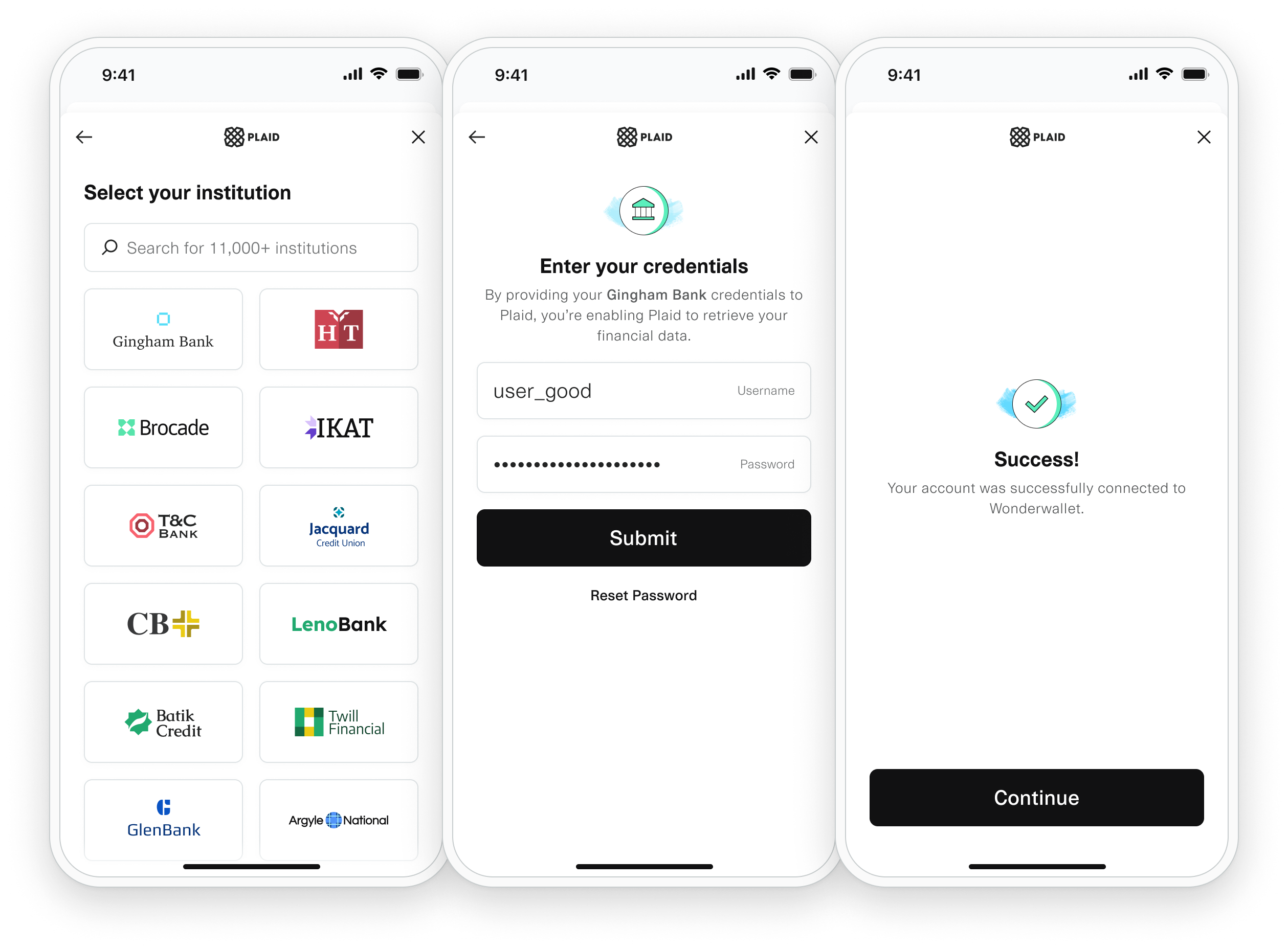
Plaid Link is the client-side component that your users interact with to connect their financial accounts to Plaid. Link handles the entire onboarding flow securely and efficiently, from account selection to multi-factor authentication.
Introduction to Link
Plaid Link is a drop-in module that handles the details of connecting your users' financial accounts to Plaid. Link provides a secure, elegant authentication flow for each institution that your users want to connect with.
Key features of Link include:
- Universal authentication: Handles login credentials, multi-factor authentication, and OAuth flows
- Error handling: Gracefully manages connection errors and guides users through resolution
- Multi-platform support: Available for web, iOS, Android, React Native, and other platforms
- Customizable interface: Configurable text, colors, and institution selection views
- Production requirement: Mandatory for all Plaid production integrations
Initializing Link
Link is initialized by passing a link_token that you create server-side. The implementation varies by platform, but the core concept remains the same across all supported environments.
The link_token is a short-lived, single-use token that configures Link for your user’s specific flow.
Link Flow Overview
The typical Plaid integration flow involves four key steps:
- Create link_token: Your server calls
/link/token/createto generate alink_token - Initialize Link: Pass the
link_tokento Link and open it for your user - Receive public_token: User completes the Link flow and you receive a
public_tokenin theonSuccesscallback - Exchange for access_token: Your server exchanges the
public_tokenfor a permanentaccess_tokenthat you store securely
The access_token is the long-lived token you’ll use for all subsequent API requests for this user’s accounts.
Platform Support
Link is available across multiple platforms:
Official SDKs
- Web: JavaScript SDK for web applications
- iOS: Native iOS SDK
- Android: Native Android SDK
- React Native: Cross-platform mobile development
- Hosted Link: Server-side hosted solution
Community Supported
- Flutter: Community-maintained wrapper
- Angular: Community-maintained integration
- Vue.js: Community-maintained integration
Supporting OAuth
Some institutions require OAuth authentication, where Link redirects users to their bank's website or mobile app for login. Link handles this process seamlessly:
- Automatically detects OAuth requirements
- Opens the institution's authentication page
- Handles the redirect flow back to your application
- Maintains security throughout the process
Customizing Link
Link can be customized to match your application's branding and user experience:
Customizable Elements
- Text and messaging throughout the flow
- Institution selection interface
- Background colors and styling
- Account selection view
- Success and error messaging
Configuration Methods
- Plaid Dashboard: Visual configuration interface
- link_token parameters: Programmatic customization
- CSS overrides: Advanced styling options (web only)
Link customization is configured through your Plaid Dashboard and affects all Link sessions for your application.
Returning User Flows
Link provides optimized experiences for users who have previously connected accounts:
- Faster authentication: Streamlined flow for existing users
- Account updates: Easy re-authentication for expired connections
- Additional accounts: Simple process to connect additional accounts from the same institution
Error Handling
Link includes comprehensive error handling to ensure a smooth user experience:
Recommended Practices
- Update mode support: Handle scenarios where users need to re-authenticate
- Duplicate prevention: Detect and prevent duplicate account connections
- Token expiration: Gracefully handle expired
link_tokens - Institution errors: Guide users through temporary institution outages
Error Categories
- User errors: Invalid credentials, account locked, etc.
- Institution errors: Maintenance, outages, or technical issues
- Item errors: Connection problems requiring user attention
- API errors: Rate limits, invalid requests, or configuration issues
Optimizing Link Conversion
The configuration and presentation of Link significantly impacts user completion rates:
Best Practices
- Clear messaging: Explain why you need access to financial data
- Minimal friction: Only request necessary account types and data
- Trust indicators: Display security badges and privacy information
- Mobile optimization: Ensure smooth experience on mobile devices
- Institution selection: Pre-filter institutions relevant to your users
Link Updates
Plaid regularly updates Link with new features, security enhancements, and institution support:
Update Process
- Automatic deployment: Updates deploy automatically for hosted solutions
- SDK updates: Regular releases for native SDKs with new features
- Backward compatibility: Updates maintain compatibility with existing integrations
- Feature rollouts: New features may roll out gradually
We recommend regularly updating to the latest Link SDK versions to ensure access to the newest features and security improvements.
Troubleshooting
For comprehensive troubleshooting guidance and best practices for robust Link integration, see our detailed troubleshooting documentation.
Common issues include:
- Institution connectivity problems
- Token expiration handling
- Mobile browser compatibility
- Network timeout management
Next Steps
Ready to implement Link in your application? Check out our platform-specific guides:
For detailed API reference, see the Link Token Create endpoint documentation.